Skip to content
H3 Max
OvsL

Ollama vs LM Studio: Which Is Better?

Both run open models on your own computer. Ollama is command-line and API-first for developers; LM Studio is a desktop app with a chat window and model browser.

Ollama vs LM Studio at a glance

OllamaLM Studio
PricingOpen sourceFree
PlatformsWindows, macOS, Linux, APIWindows, macOS, Linux
Made by——
CategoryOpen-Weight ModelsOpen-Weight Models
Best for
  • Private local AI
  • Offline use
  • Developers testing open models
  • Trying local models without the terminal
  • Private document chat
Last reviewed2026-10-232026-10-23

What is Ollama?

Ollama makes running open models locally simple: install it, run one command and chat with Llama, Qwen, Gemma, DeepSeek and others on your own machine, privately and offline.

It exposes a local API that many apps and coding tools can connect to, and offers optional cloud models for bigger ones.

Key features

  • One-command local models
  • Large model library
  • Local REST API
  • Mac, Windows and Linux
  • Optional cloud models

What is LM Studio?

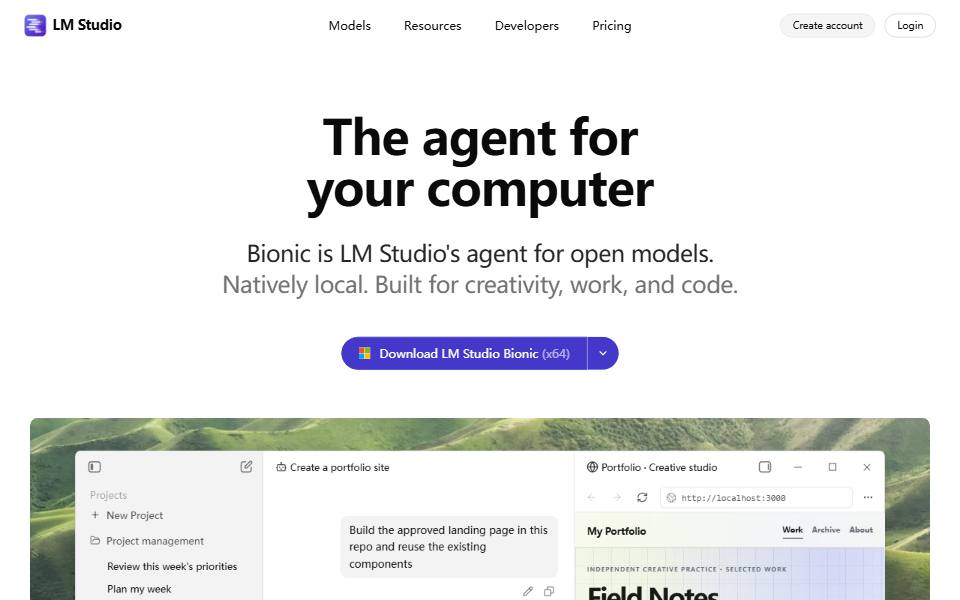
LM Studio is a desktop app for discovering, downloading and running open models locally with a friendly chat interface — no command line needed. It shows which models fit your hardware.

A built-in server exposes an OpenAI-compatible API so other apps can use your local models.

Key features

  • Model discovery and download
  • Chat UI
  • Hardware-aware recommendations
  • OpenAI-compatible local server
  • Free for personal and work use

Key differences between Ollama and LM Studio

Our take: Ollama or LM Studio?

Ollama is ideal for developers: install it, pull a model with one command and call it from your own code through a local API that many tools already support. LM Studio is friendlier for everyone else, with a desktop app to browse and download models, chat with them and tweak settings, plus a local server when you need one. Both are free and keep your data on your machine.

Ollama vs LM Studio pricing

Ollama · Open source

Ollama is open source and free to run yourself; hosted versions may cost money.

LM Studio · Free

Yes, LM Studio is free to use.

Plans and prices change often; check both official pricing pages before you pay.

Should you choose Ollama or LM Studio?

Choose Ollama for:

  • Private local AI
  • Offline use
  • Developers testing open models
See Ollama alternatives

Choose LM Studio for:

  • Trying local models without the terminal
  • Private document chat
See LM Studio alternatives

Ollama vs LM Studio: FAQ

Is Ollama free?
Ollama is open source and free to run yourself; hosted versions may cost money.
Is LM Studio free?
Yes, LM Studio is free to use.
Do Ollama and LM Studio have an API?
Ollama offers an API; LM Studio does not list a public one.
Do Ollama and LM Studio have a mobile app?
Neither has a mobile app. Ollama runs on Windows, macOS, Linux, API; LM Studio on Windows, macOS, Linux.
Is Ollama or LM Studio better for private local AI?
Ollama lists it among its main uses (private local AI, offline use, developers testing open models). LM Studio is aimed more at trying local models without the terminal, private document chat.
Is Ollama or LM Studio better for trying local models without the terminal?
LM Studio lists it among its main uses (trying local models without the terminal, private document chat). Ollama is aimed more at private local AI, offline use, developers testing open models.
What platforms do Ollama and LM Studio run on?
Ollama runs on Windows, macOS, Linux, API. LM Studio runs on Windows, macOS, Linux.
What are good alternatives to Ollama and LM Studio?
Other Open-Weight Models worth a look: Hugging Face, ComfyUI.
How did we compare Ollama and LM Studio?
We compared what each tool does, how it charges, the platforms it runs on and the jobs it is built for, using each product's official site and documentation. Both listings were last reviewed on 2026-10-23; plans and features change, so check the official sites before you subscribe.

Written by the H3 Max team from public information. Prices and features change — check the official site before you buy.


More Open-Weight Models